ContentItem
Attach custom Markdown or HTML pages and external links to APIs, API Bundles, and API Portals.
Introduction
The ContentItem resource lets API Publishers enrich the API Portal with custom documentation and navigation links without modifying the portal's source code.
A ContentItem can be one of two things:
- A Content page rendered inside the portal. Pages are written in Markdown and can include safe raw HTML.
- A Link to an internal portal route or an external URL.
Each ContentItem is attached to a parent resource — an APIPortal, an API, or an APIBundle — which determines where it appears in the portal UI.
Typical use cases:
- Document non-REST APIs (such as gRPC or GraphQL) that do not have an OpenAPI specification.
- Add onboarding guides, tutorials, or FAQs next to an API or bundle.
- Expose a "Contact us", "Status page", or "Changelog" link in the portal top navigation.
- Provide a bundle-level overview page that describes the APIs it contains.
The ContentItem Object
The ContentItem object is a Kubernetes Custom Resource Definition (CRD).
A ContentItem must be declared in the same namespace as the parent resource it references. Cross-namespace parent references are not supported.
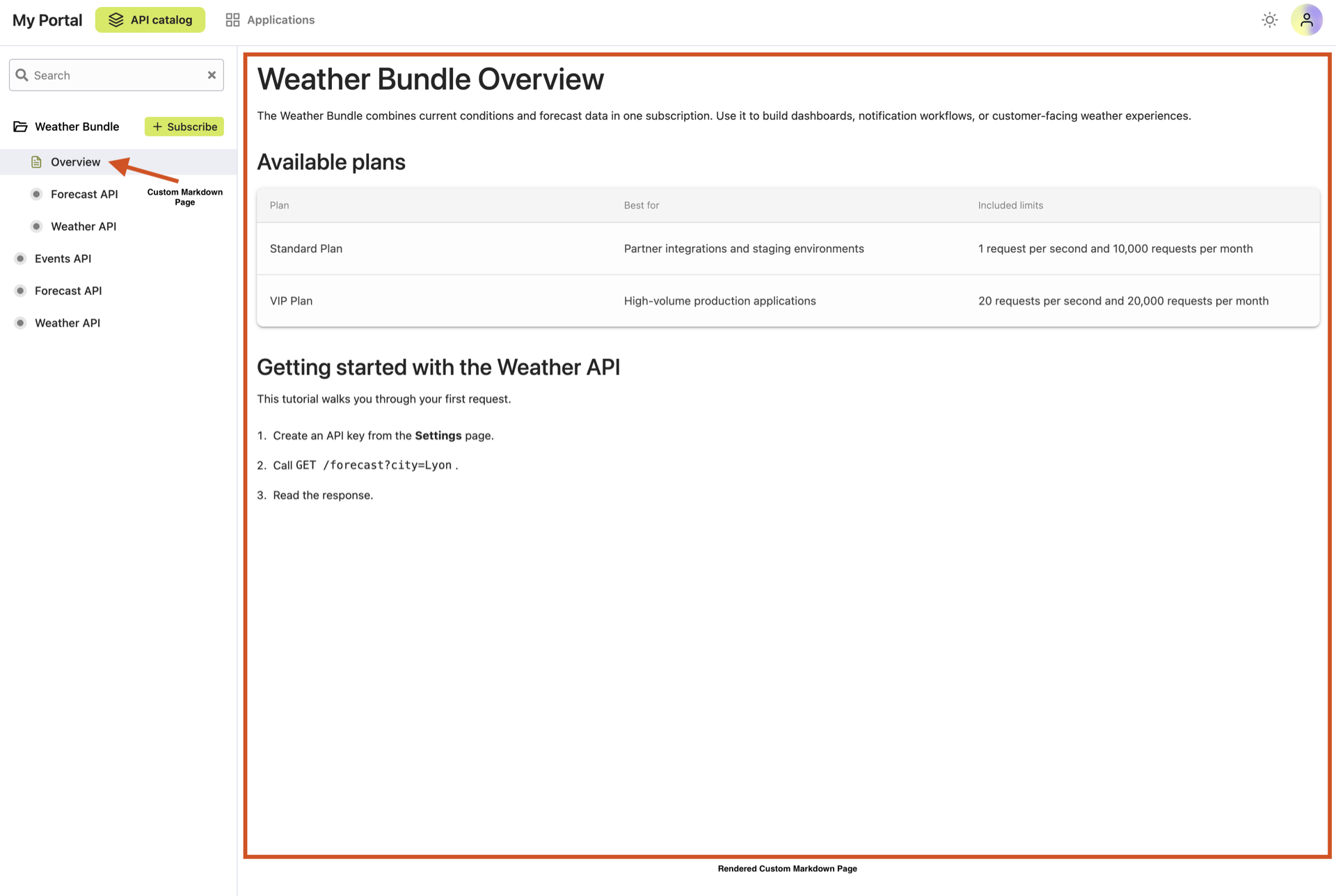
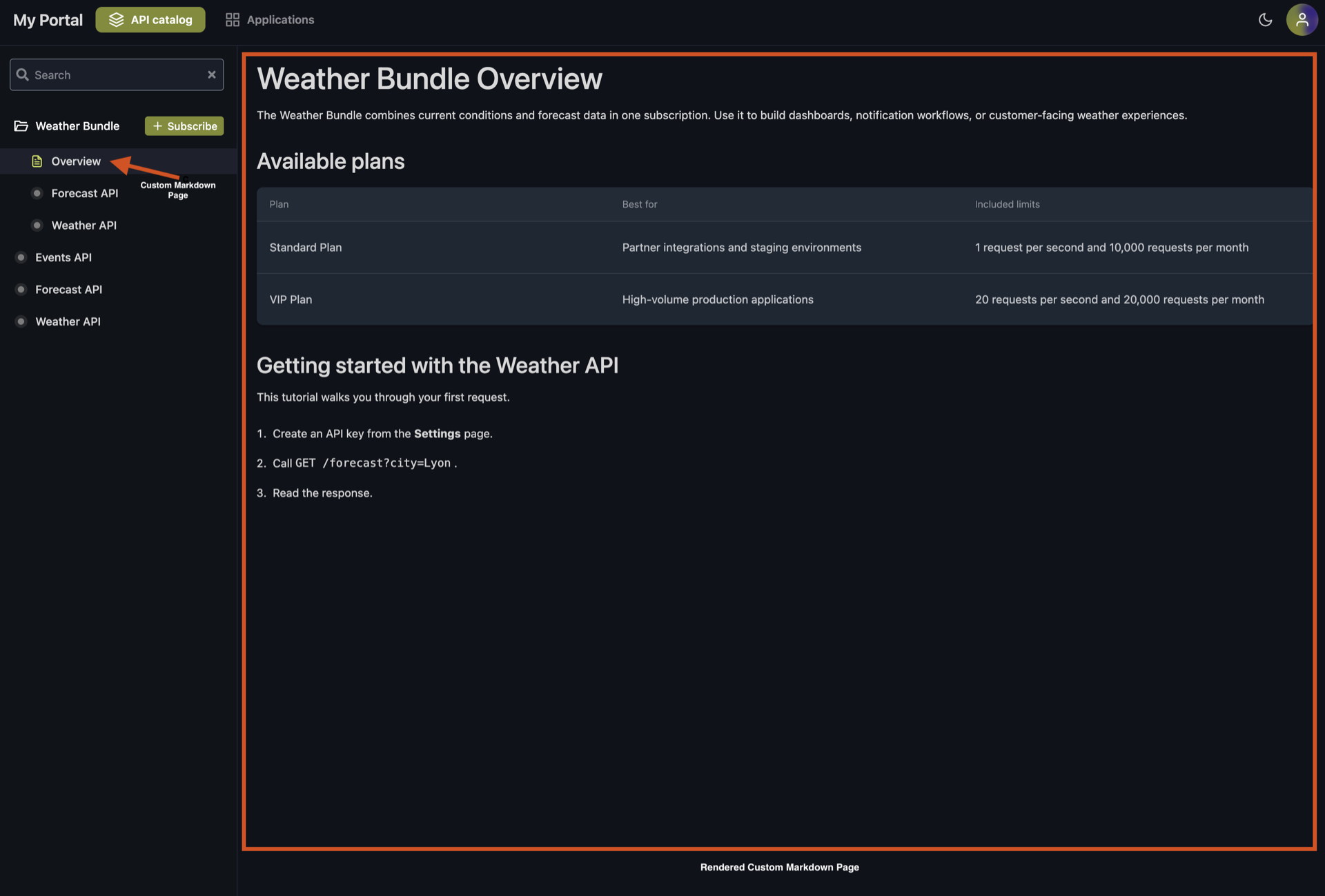
- Content page attached to an APIBundle
- External link attached to an APIPortal
apiVersion: hub.traefik.io/v1alpha1
kind: ContentItem
metadata:
  name: weather-overview
  namespace: apps
spec:
  title: Overview
  order: 1
  parentRef:
    kind: APIBundle
    name: weather-bundle
  content: |
    # Weather Bundle Overview

    The Weather Bundle combines current conditions and forecast data in one
    subscription. Use it to build dashboards, notification workflows, or
    customer-facing weather experiences.

    ## Available plans

    | Plan | Best for | Included limits |
    | :--- | :------- | :-------------- |
    | Standard Plan | Partner integrations and staging environments | 1 request per second and 10,000 requests per month |
    | VIP Plan | High-volume production applications | 20 requests per second and 20,000 requests per month |

    ## Getting started with the Weather API

    This tutorial walks you through your first request.

    1. Create an API key from the **Settings** page.
    2. Call `GET /forecast?city=Lyon`.
    3. Read the response.
apiVersion: hub.traefik.io/v1alpha1
kind: ContentItem
metadata:
  name: company-website
  namespace: apps
spec:
  title: Company website
  order: 10
  parentRef:
    kind: APIPortal
    name: my-portal
  link:
    href: https://traefik.io
A ContentItem must define exactly one of content or link. Declaring both, or neither, is rejected by the Kubernetes admission controller.
Ordering
ContentItem entries attached to the same parent are sorted by order ascending (lowest first). When two items share the same order, the tie is resolved by namespace then name in alphabetical order.
At the portal level, custom content is always rendered after the built-in API catalog and Applications entries in the top navigation; order only controls the position of custom items relative to each other.
Link Targets
The behavior of a link is derived automatically from link.href:
link.href | Behavior |
|---|---|
Starts with / (relative URL) | Opens in the same browser tab. Useful for linking to another page of the portal, for example a specific API. |
| Any other value (absolute URL) | Opens in a new browser tab with rel="noopener noreferrer". |
Content Support
Content pages are rendered as GitHub Flavored Markdown (GFM). The following Markdown elements are supported:
- Headings, bold, italic, strikethrough, underline (
++text++) - Inline code and fenced code blocks
- Ordered and unordered lists
- Tables
- Links and images (via URL)
- Block quotes
Nested ordered lists follow Markdown indentation rules. Indent child items so the child
marker starts under the parent item's text. For example, a child item under 1. needs
three leading spaces. Numbering patterns such as 1.1. or 1.2. are rendered as text,
not as nested list markers.
1. Configure access
   1. Create an API key
   2. Store it securely
2. Send a request
Raw HTML can also be embedded in Markdown. HTML is parsed and sanitized before rendering to prevent cross-site scripting (XSS). The portal supports common safe HTML elements:
- Text and structure elements such as
<p>,<div>,<span>,<br>,<hr>, and<h1>through<h6> - Text formatting elements such as
<strong>,<em>,<code>,<pre>,<kbd>,<samp>,<var>,<sub>, and<sup> - List and table elements such as
<ul>,<ol>,<li>,<dl>,<dt>,<dd>,<table>,<thead>,<tbody>,<tr>,<th>, and<td> - Link and media elements such as
<a>,<img>,<picture>, and<source> - Disclosure and annotation elements such as
<details>,<summary>,<ruby>,<rp>, and<rt>
Unsafe HTML is removed during sanitization. <script> and <iframe> elements are stripped,
event-handler attributes such as onclick or onerror are removed, and unsafe URL schemes
such as javascript: or data: are rejected. Inline styling and unsupported attributes may
also be removed, so avoid relying on custom CSS in portal content.
Where Content Appears in the Portal
The placement of a ContentItem in the portal is determined by the combination of its parentRef.kind and its type (Markdown page or link).
Attached to an APIPortal
| Type | Location |
|---|---|
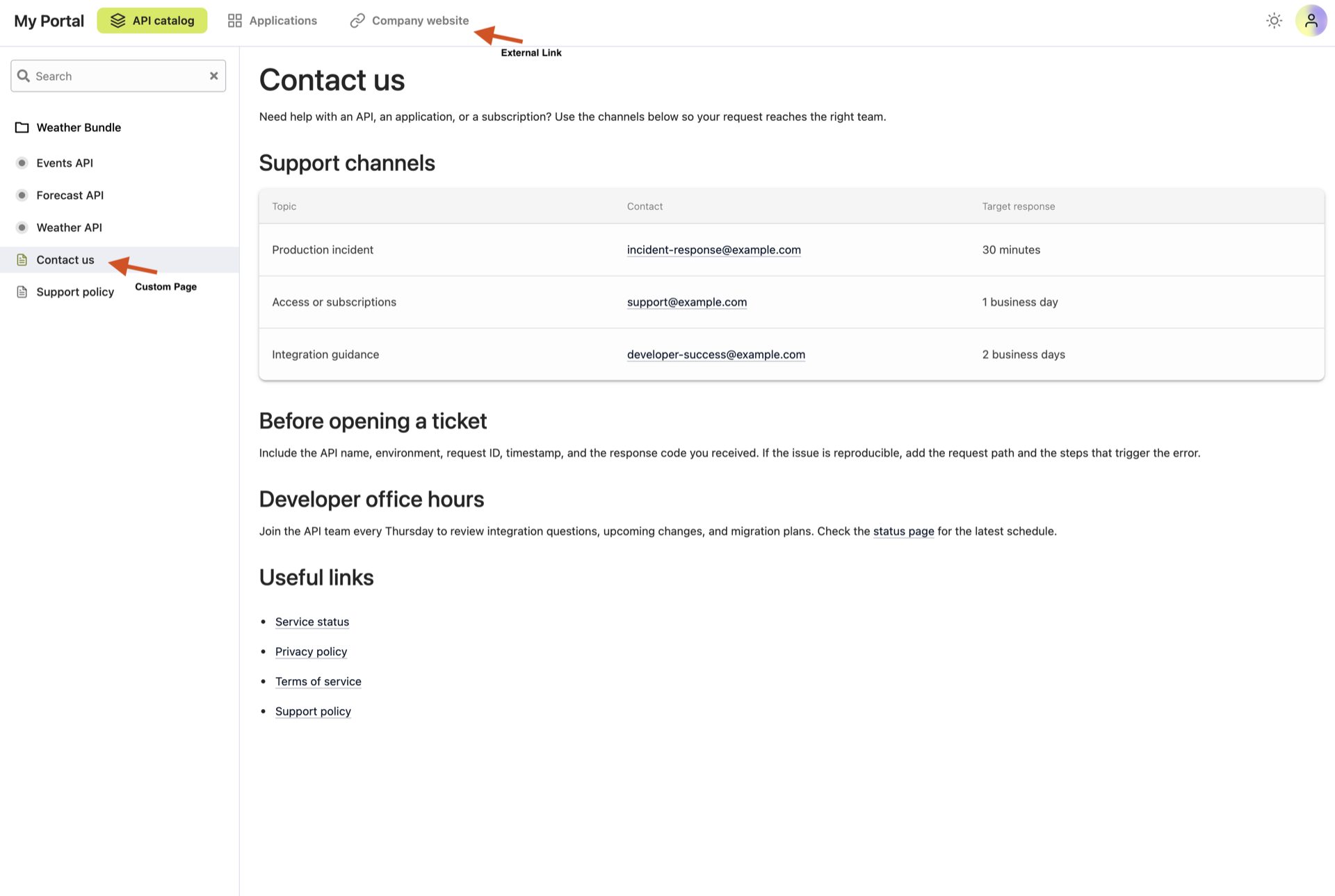
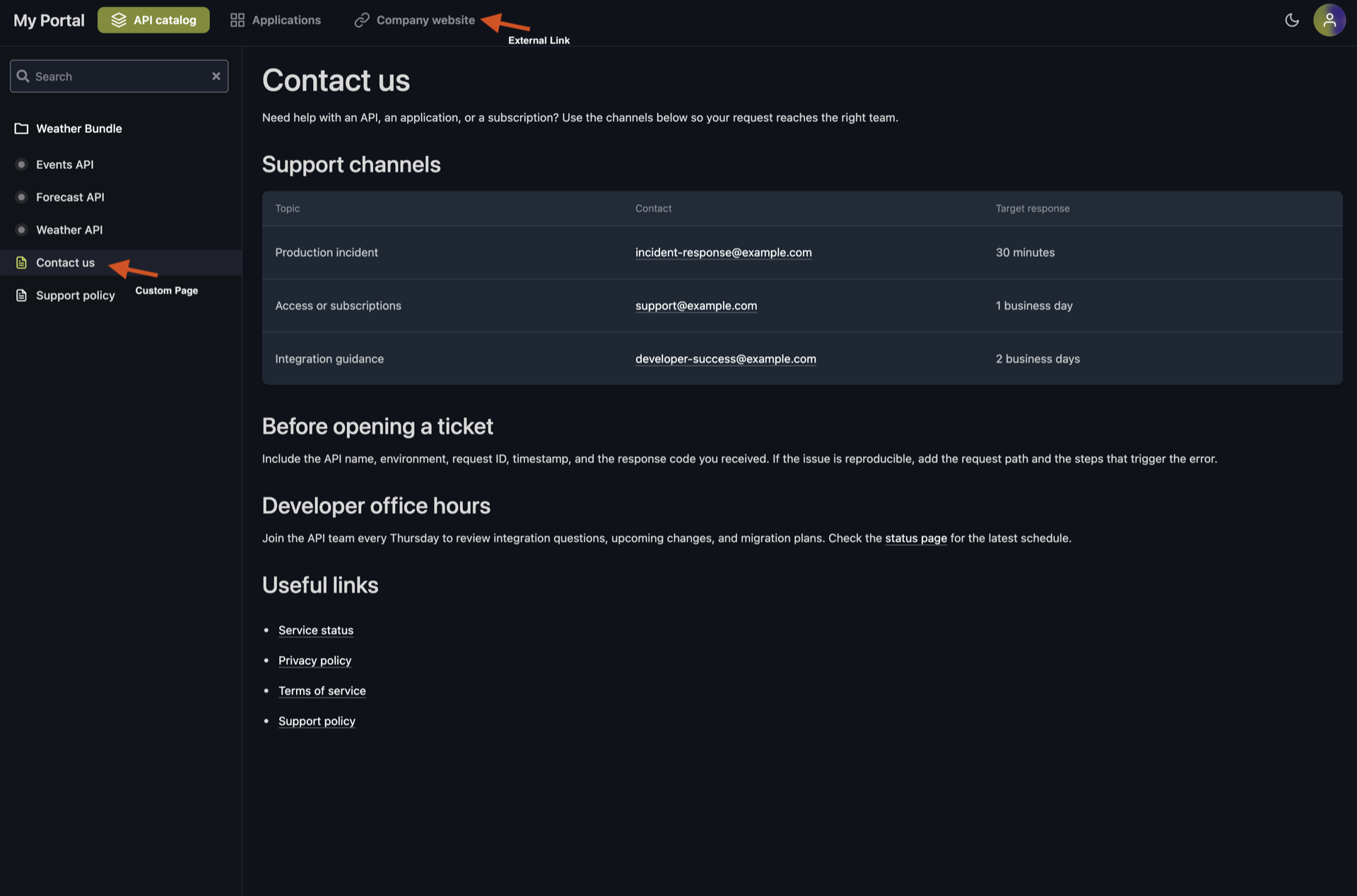
link | Portal top navigation bar, to the right of the API catalog and Applications entries. |
content | Portal left sidebar, below the list of APIs and API Bundles. |
Attached to an API or an APIBundle
Both Markdown pages and links attached to an API or an APIBundle are rendered as tabs in the API
(or Bundle) page navigation, next to the default Documentation tab.
Links follow the same same-tab vs. new-tab rule as portal-level links.
Custom content is shared across all versions of a versioned API. Attaching a ContentItem directly to an APIVersion is not supported.
Configuration Examples
Add a "Contact us" Page and an External Link to the Portal
This example adds two items to the portal: a Markdown contact page (rendered in the left sidebar) and an external link to the company website (rendered in the top navigation bar, in a new tab).
- APIPortal
- Contact Page
- External Link
apiVersion: hub.traefik.io/v1alpha1
kind: APIPortal
metadata:
  name: my-portal
  namespace: apps
spec:
  title: My Portal
  description: API Developer Portal
  trustedUrls:
    - https://portal.example.com
apiVersion: hub.traefik.io/v1alpha1
kind: ContentItem
metadata:
  name: contact-us
  namespace: apps
spec:
  title: Contact us
  order: 1
  parentRef:
    kind: APIPortal
    name: my-portal
  content: |
    # Contact us

    Need help with an API, an application, or a subscription? Use the
    channels below so your request reaches the right team.

    ## Support channels

    | Topic | Contact | Target response |
    | :---- | :------ | :-------------- |
    | Production incident | [[email protected]](mailto:[email protected]) | 30 minutes |
    | Access or subscriptions | [[email protected]](mailto:[email protected]) | 1 business day |
    | Integration guidance | [[email protected]](mailto:[email protected]) | 2 business days |

    ## Before opening a ticket

    Include the API name, environment, request ID, timestamp, and the
    response code you received. If the issue is reproducible, add the
    request path and the steps that trigger the error.

    ## Developer office hours

    Join the API team every Thursday to review integration questions,
    upcoming changes, and migration plans. Check the
    [status page](https://status.example.com) for the latest schedule.

    ## Useful links

    - [Service status](https://status.example.com)
    - [Privacy policy](https://example.com/privacy)
    - [Terms of service](https://example.com/terms)
    - [Support policy](https://example.com/support)
apiVersion: hub.traefik.io/v1alpha1
kind: ContentItem
metadata:
  name: company-website
  namespace: apps
spec:
  title: Company website
  order: 2
  parentRef:
    kind: APIPortal
    name: my-portal
  link:
    href: https://traefik.io
Document an API Without an OpenAPI Specification
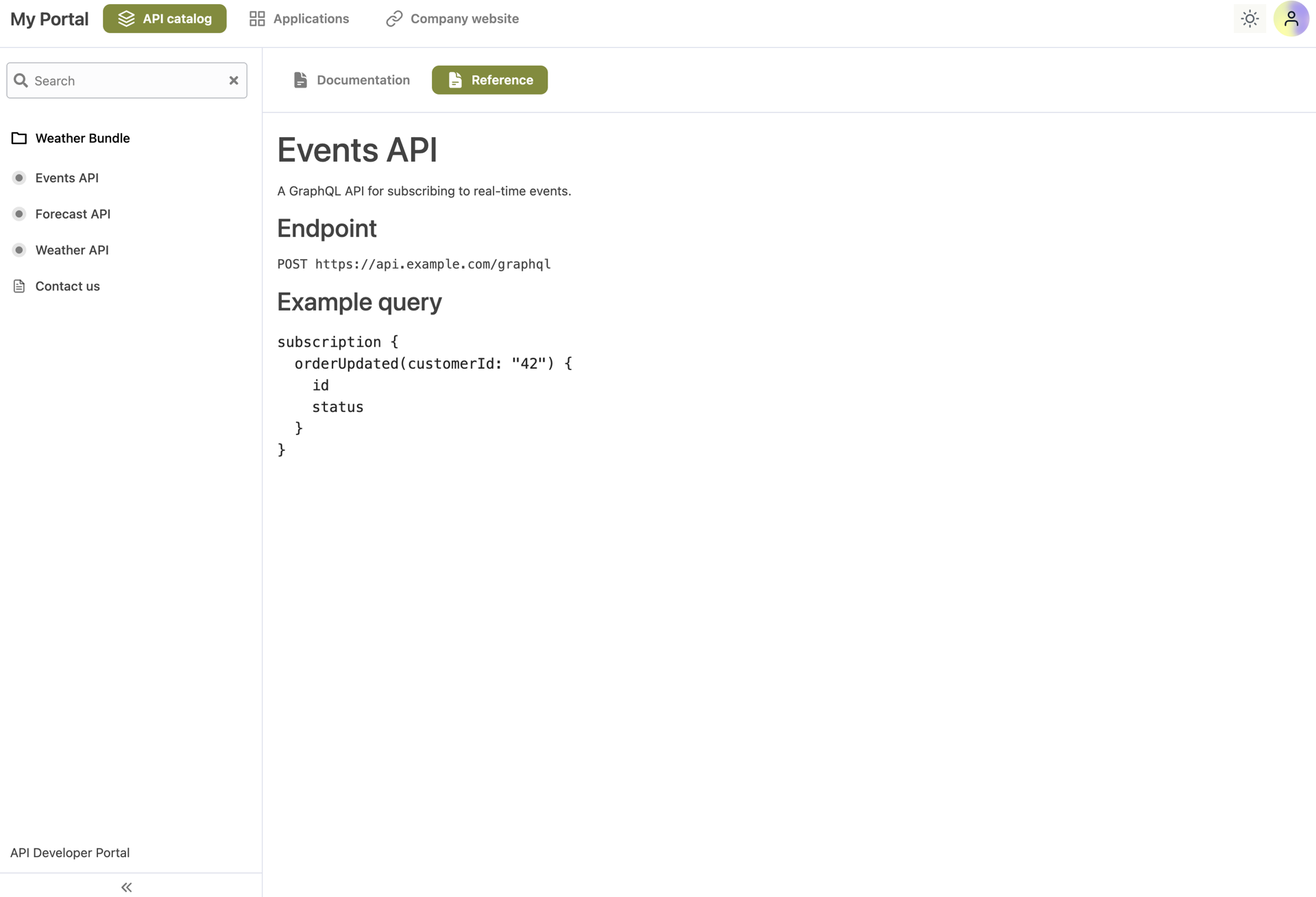
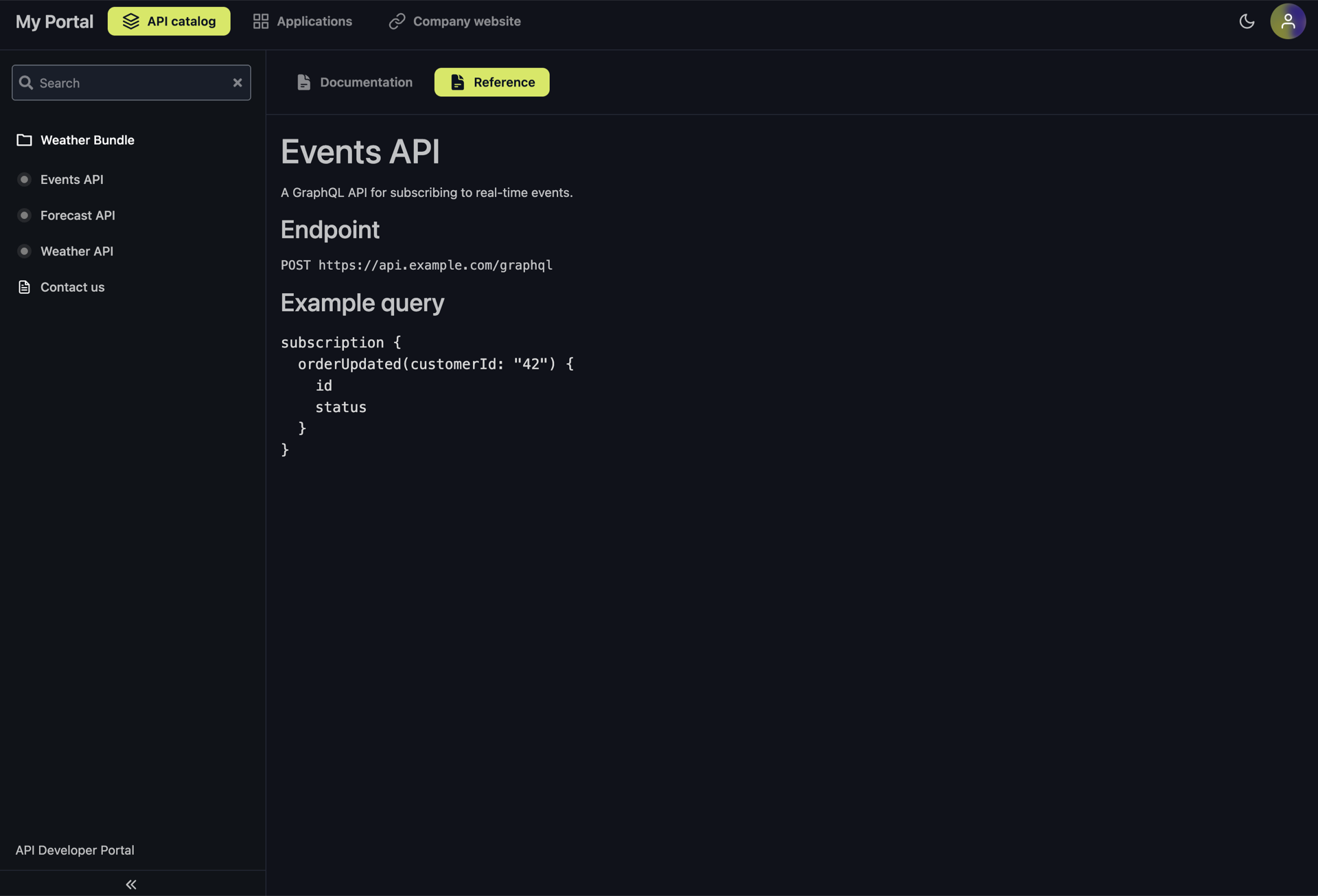
When an API does not expose an OpenAPI specification — for example, a gRPC or GraphQL backend — a Markdown ContentItem can be used as its primary documentation page.
- API
- Documentation
apiVersion: hub.traefik.io/v1alpha1
kind: API
metadata:
  name: events-api
  namespace: apps
spec:
  title: Events API
apiVersion: hub.traefik.io/v1alpha1
kind: ContentItem
metadata:
  name: events-api-docs
  namespace: apps
spec:
  title: Reference
  order: 1
  parentRef:
    kind: API
    name: events-api
  content: |
    # Events API

    A GraphQL API for subscribing to real-time events.

    ## Endpoint

    `POST https://api.example.com/graphql`

    ## Example query

    subscription {
      orderUpdated(customerId: "42") {
        id
        status
      }
    }
Add HTML to a Content Page
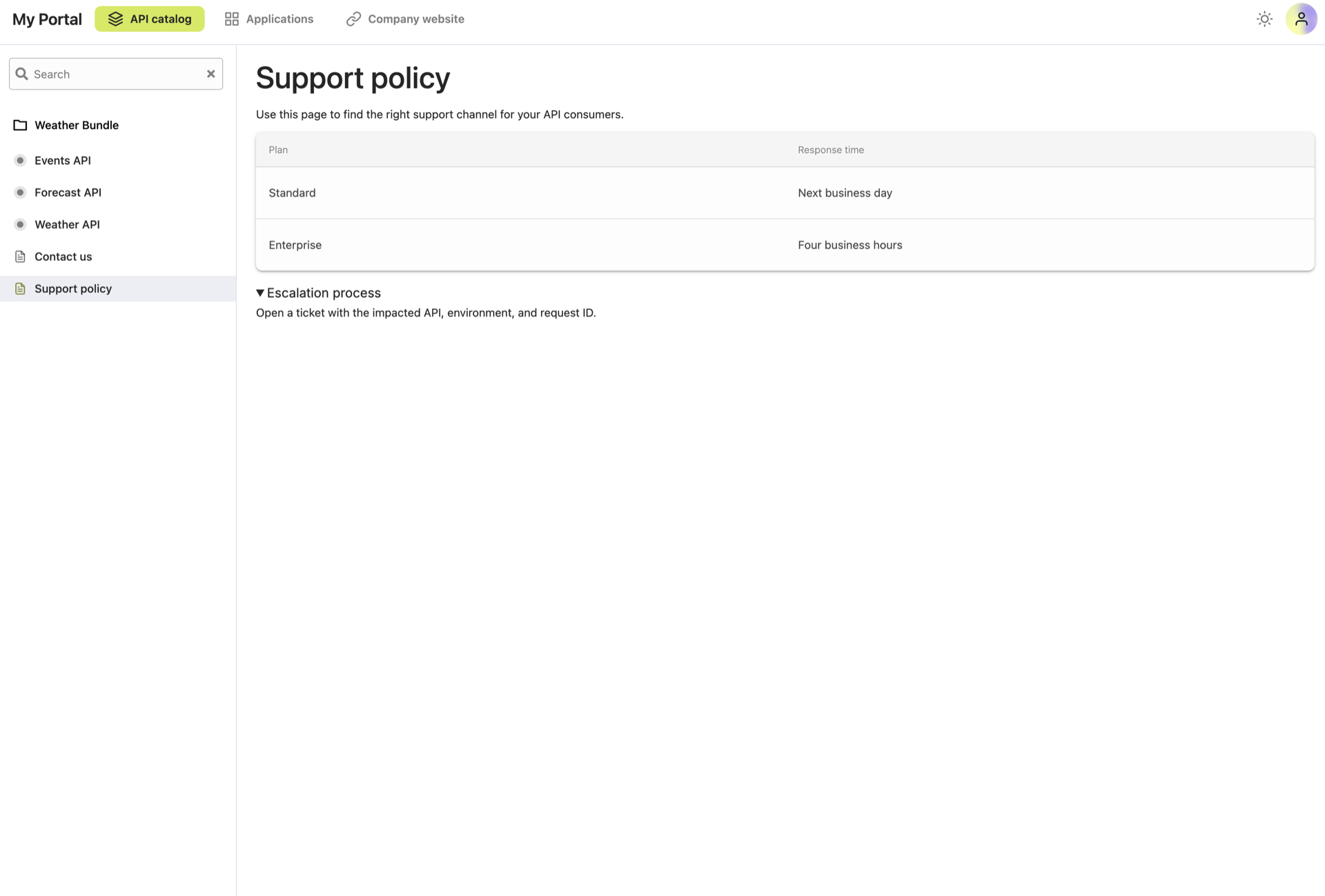
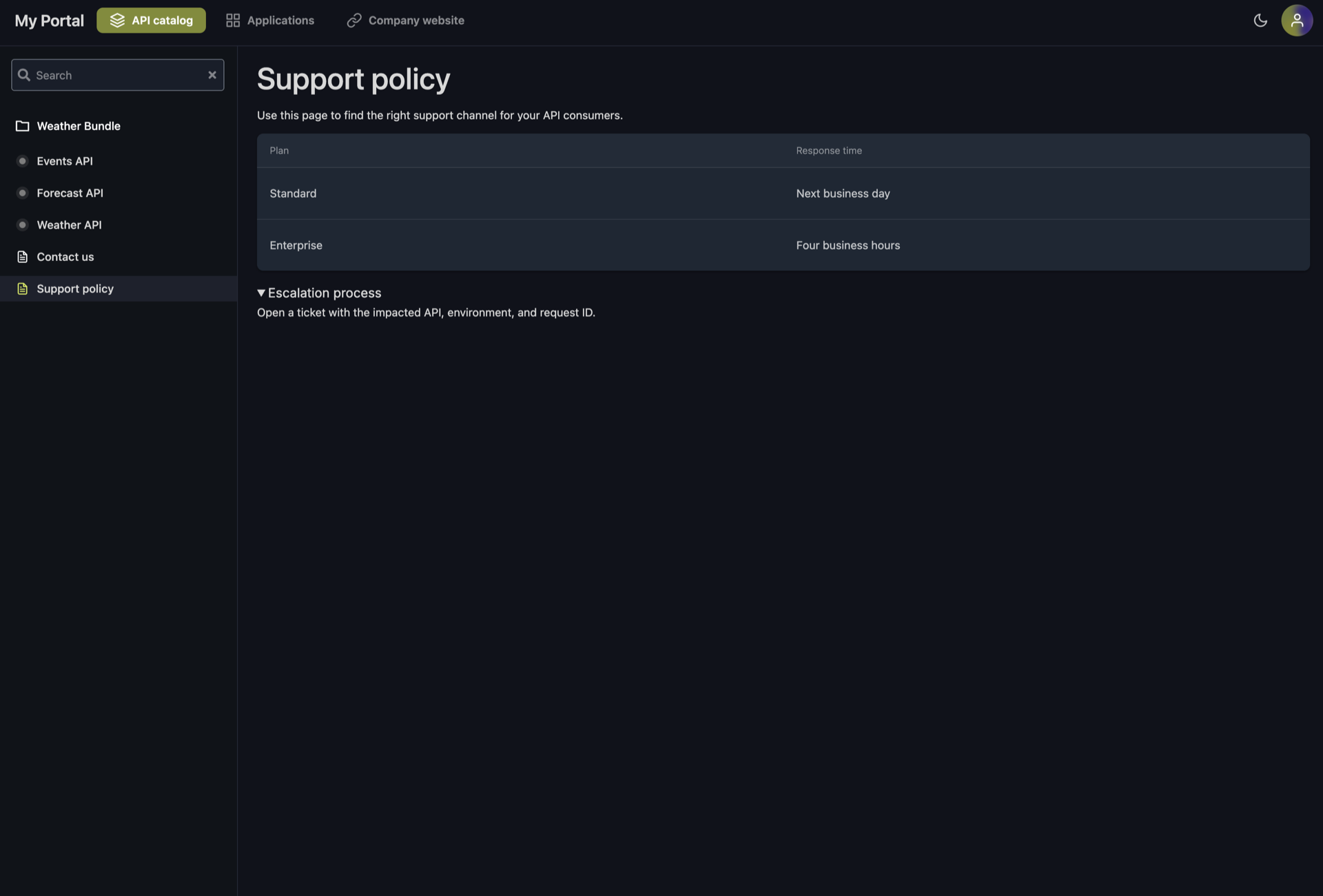
Use HTML when Markdown is not expressive enough for structured content such as collapsible
sections, definition lists, or custom tables. HTML is still declared in the content field.
apiVersion: hub.traefik.io/v1alpha1
kind: ContentItem
metadata:
  name: support-policy
  namespace: apps
spec:
  title: Support policy
  order: 2
  parentRef:
    kind: APIPortal
    name: my-portal
  content: |
    # Support policy

    <p>Use this page to find the right support channel for your API consumers.</p>

    <table>
      <thead>
        <tr>
          <th>Plan</th>
          <th>Response time</th>
        </tr>
      </thead>
      <tbody>
        <tr>
          <td>Standard</td>
          <td>Next business day</td>
        </tr>
        <tr>
          <td>Enterprise</td>
          <td>Four business hours</td>
        </tr>
      </tbody>
    </table>

    <details>
      <summary>Escalation process</summary>
      <p>Open a ticket with the impacted API, environment, and request ID.</p>
    </details>
Configuration Options
| Field | Description | Required | Default |
|---|---|---|---|
title | Public-facing name of the content item. Displayed as the menu label in the portal. 1–253 characters. | Yes | — |
order | Non-negative integer (int32) that controls the display order. Items are sorted by order ascending, so lower values appear first. | Yes | — |
parentRef.kind | Kind of the parent resource. Must be one of APIPortal, API, or APIBundle. | Yes | — |
parentRef.name | Name of the parent resource. The parent must exist in the same namespace as the ContentItem. | Yes | — |
content | Markdown body of the page. Can include sanitized raw HTML. Up to 1,500,000 characters. Mutually exclusive with link. | Conditional | — |
link.href | URL of the link. Must be a valid URL. Can be a relative path (for example /api-catalog/my-api@apps) or an absolute URL. Mutually exclusive with content. | Conditional | — |
Status
When Traefik Hub reconciles a ContentItem, it updates the status.conditions field. The ParentRefResolved condition reports whether the referenced parent resource exists in the same namespace.
kubectl describe contentitem contact-us -n apps
If the parent cannot be resolved, the ContentItem is ignored by the portal and the condition reports an error message. Check that:
- The
parentRef.kindis one ofAPIPortal,API, orAPIBundle. - A parent resource with the given
nameexists in the same namespace as theContentItem.
Related Content
- Learn more about APIPortal and how to configure the developer portal.
- Learn more about the API object.
- Learn more about the APIBundle object.
- Read the API Portal Overview from a consumer's perspective.
